This project is scheduled for launch
Launch date: Monday, January 4, 2027 at 08:00 AM UTC
Scheduled
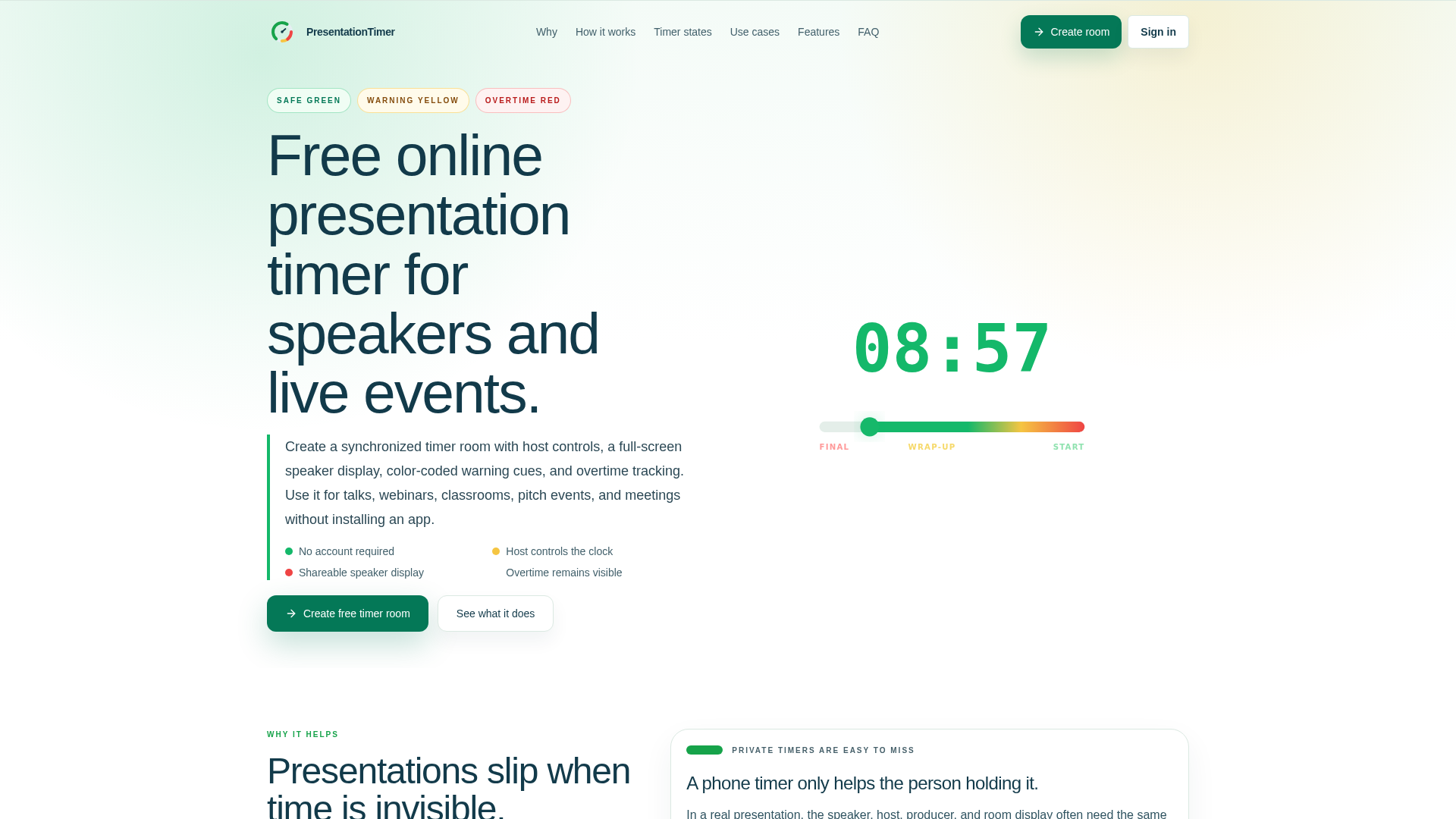
PTPresentationTimer is a free, browser-based online presentation timer designed to keep talks, webinars, classrooms, pitch events, and meetings running on schedule. It serves as a crucial coordination tool for speakers, hosts, and producers, ensuring everyone follows a synchronized time signal without the need for app installations or accounts.
**Key Features:**
* Host controls for starting, pausing, and adjusting the timer.
* Shareable, full-screen speaker display for clear visibility.
* Color-coded warning cues (green, yellow, red) for intuitive feedback.
* Automatic overtime tracking to manage schedule recovery.
* No account required and no software installation needed.
* Synchronized timer rooms for consistent timing across devices.
**Use Cases:**
Presentations often suffer when timing is invisible or poorly communicated. PresentationTimer addresses this by providing a shared, visible countdown that prevents private timers from being missed and eliminates the need for disruptive verbal warnings. Its color-coded system allows speakers to understand their pacing at a glance, whether they are safe, nearing the end, or over time.
This tool is invaluable for various scenarios, from managing weekly team meetings and standups to orchestrating complex conference sessions and panel discussions. It ensures remote teams, webinar participants, and classroom environments remain perfectly synchronized, with the host maintaining central control while all displays follow in real-time.
**Pricing Information:**
PresentationTimer operates on a free model, offering a comprehensive starter version that includes a focused presentation timer room, host control panel, shareable speaker display, and all warning/overtime states. There is no cost to create and use a basic timer room.
**User Experience and Support:**
Designed for simplicity and ease of use, PresentationTimer runs entirely in the browser, requiring no downloads or accounts. Hosts can quickly create a room and share a clean, readable display link. The intuitive interface allows hosts to manage the clock effortlessly, while speakers benefit from clear visual cues. Documentation is integrated into the "How it works" and "FAQ" sections, providing immediate answers to common questions.
**Technical Details:**
PresentationTimer is a browser-based application, leveraging web technologies to provide a real-time synchronized experience across multiple devices. It functions without requiring any specific software installations, making it highly accessible.
**Pros and Cons:**
* **Pros:**
* Free and no account required.
* Browser-based, no installation needed.
* Synchronized display for all participants.
* Intuitive color-coded warnings.
* Host controls for precise timing management.
* Effective for both in-person and remote events.
* **Cons:**
* Current free version is focused on single-room timing.
* Advanced features like agendas or multi-room control are not yet available in the free tier.
* No explicit branding or customization options mentioned for the free version.
**Conclusion:**
PresentationTimer offers an essential, free solution for anyone needing to manage presentation timing with precision and clarity. Its ability to synchronize timing across multiple displays and provide intuitive visual cues makes it an indispensable tool for smooth, professional events. Start a free timer room today to keep your presentations perfectly on track.
Comments
Comments will be available once the project is launched.
Publisher

Launch Date2027-01-04
Platformweb
Pricingfree
Tech Stack
#web
Outbid
View🥇 🥈
🥈 🥉
🥉
Want this spot? Pay what you wantBest Launch Directories: launch directories with DR, traffic and pricing
Launch directories, product launch platforms and startup listing sites in one table, with Domain Rating by Ahrefs, traffic where known, pricing and link type for each.
$50
Boost Your Domain Rating — DoFollow Backlinks (DR 30–70) from $30
Raise your Ahrefs Domain Rating with 5 - 50 dofollow backlinks from DR 30–60 sites — from $50, guaranteed to improve your DR or your money back.
$45
DirEasy - The Best Directory Boilerplate with AI | DirEasy
The best directory boilerplate, packed with AI, Listings, Payment, Submission, CMS, Blog, Authentication, Newsletter, SEO and more.
$41