
This project is scheduled for launch
Launch date: Monday, December 21, 2026 at 08:00 AM UTC
Scheduled
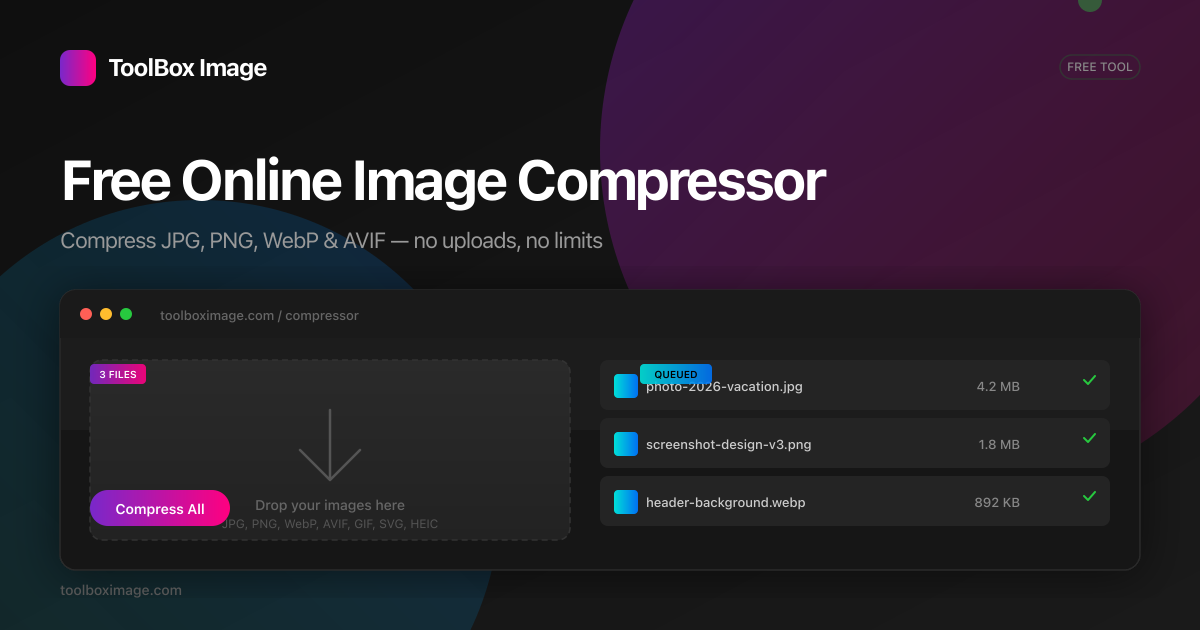
ToolBox Image is a comprehensive, browser-native suite of free image optimization and editing tools, designed for individuals and businesses seeking fast, private, and efficient image processing. It caters to anyone needing to reduce file sizes, convert formats, or perform basic edits without compromising data privacy or quality.
Key Features:
- 100% local processing: Files never leave your device, ensuring maximum privacy.
- WebAssembly (WASM) speed: Processes images in under 1 second per image.
- Unlimited usage: No sign-up, no accounts, and no limits on file processing.
- Extensive toolkit: Includes Compressor, Resizer, Converter, Cropper, Rotator, Watermark, Background Remover, Metadata Viewer, Sharpen, Blur, and more.
- Batch processing: Handle hundreds of images at once with ease.
- Side-by-side preview: Compare before and after images at full resolution.
Use Cases:
ToolBox Image is ideal for web developers, content creators, social media managers, and anyone who frequently works with images online. It's perfect for optimizing website images to improve load times and SEO, ensuring images meet specific platform requirements like Discord, Email, or Instagram upload limits, and converting images between various modern formats such as JPEG, PNG, WebP, and AVIF. The platform also serves personal use cases, allowing users to quickly create passport photos, redact sensitive information from images, remove backgrounds, or simply crop and rotate photos for sharing. Its ability to extract dominant colors and view metadata makes it a valuable asset for design and analysis tasks, streamlining workflows by keeping all operations within the browser.Pricing Information:
ToolBox Image operates on a completely free and unlimited model. There are no hidden costs, subscriptions, or accounts required. The service is supported by optional donations, emphasizing its commitment to user privacy and accessibility.User Experience and Support:
The user interface is designed for simplicity and efficiency, featuring intuitive drag-and-drop functionality, clipboard pasting, and robust batch processing. Users can easily pick a target quality or size, compare results with a live side-by-side preview, and download individual files or a complete ZIP archive. While specific support documentation isn't highlighted, the browser-native design and clear UI minimize the learning curve.Technical Details:
The core of ToolBox Image's functionality relies on WebAssembly (WASM) and the native canvas API, enabling all image decoding, resizing, recompressing, and encoding to occur directly within the user's browser. It utilizes modern, efficient codecs like mozJPEG, libwebp, and libaom-avif, compiled to WebAssembly, to achieve optimal compression without server interaction.Pros:
- Unparalleled privacy with 100% client-side processing.
- Exceptional speed due to WebAssembly implementation.
- Completely free and unlimited usage.
- No account registration or personal data collection.
- Comprehensive suite of image optimization and editing tools.
- Supports batch processing for efficiency.
- Intuitive user interface with live previews.
Cons:
- Performance can be dependent on the user's device and browser capabilities.
- Lacks advanced, professional-grade photo editing features (e.g., layers, complex filters).
- Some features are still "Coming Soon" or "Planned."
- No explicit, detailed tutorials or dedicated support channels mentioned.
Conclusion:
ToolBox Image stands out as a powerful, privacy-centric, and free online image toolkit that delivers rapid, high-quality results directly in your browser. Its commitment to user data security and a seamless experience makes it an excellent choice for anyone needing efficient image processing. Explore ToolBox Image today to streamline your image workflows with confidence and ease.Comments
Comments will be available once the project is launched.
Publisher

Launch Date2026-12-21
Platformweb
Pricingfree
Tech Stack
#WASM#WebP#AVIF
Outbid
View🥇 🥈
🥈 🥉
🥉
Want this spot? Pay what you wantBest Launch Directories: launch directories with DR, traffic and pricing
Launch directories, product launch platforms and startup listing sites in one table, with Domain Rating by Ahrefs, traffic where known, pricing and link type for each.
$50
Boost Your Domain Rating — DoFollow Backlinks (DR 30–70) from $30
Raise your Ahrefs Domain Rating with 5 - 50 dofollow backlinks from DR 30–60 sites — from $50, guaranteed to improve your DR or your money back.
$45
DirEasy - The Best Directory Boilerplate with AI | DirEasy
The best directory boilerplate, packed with AI, Listings, Payment, Submission, CMS, Blog, Authentication, Newsletter, SEO and more.
$41